
|
1. Select iTunes on the home screen. |
|
|
2. In the top search bar, type: “KalameKhuda Podcast”. iTunes will filter results as you type. Once “KalameKhuda Podcast” appears as a result. Please select it. |
|
|
3. You’ll come across a screen on your iPhone/iTouch as shown right. Please select it. |
|
|
4. The image on the right side shows an old podcast. To download: Please select FREE and it’ll download the sermon to your iPhone/iTouch. You can then go to the iPod mode – podcasts, to listen to it. To Stream:Please select the title of the sermon and it’ll open audio player and stream video from KalameKhuda audio server. This option will not save the sermon permanently to your device. |
 |
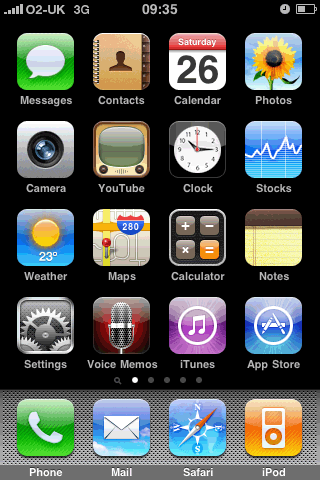 iPhone's Home Screen
 iPhone's iTunes Search
 iPhone's iTunes Search

Podcasting is a technology that allows you to download and listen to audio files using portable music (MP3) players...
KalameKhuda podcast lets you automatically receive the latest sermons as soon as they’re available. You can subscribe to receive a podcast and get it delivered each week. KalameKhuda podcast is FREE, and you can choose to stop receiving the files at any time.